
Offline password manager
Your passwords stay on your phone.
SecretDoor keeps your logins, cards, notes and keys in a vault that is encrypted on your device. No account, no server, no sync service, no tracking.
Why SecretDoor
Local only
Your vault lives on your phone and nowhere else. There is nothing to sign in to and no company that holds a copy of your data.
Strongly encrypted
Everything is encrypted with a key that only your master password can unlock, using Argon2id and AES-256 through the audited Bitwarden SDK.
Backups you control
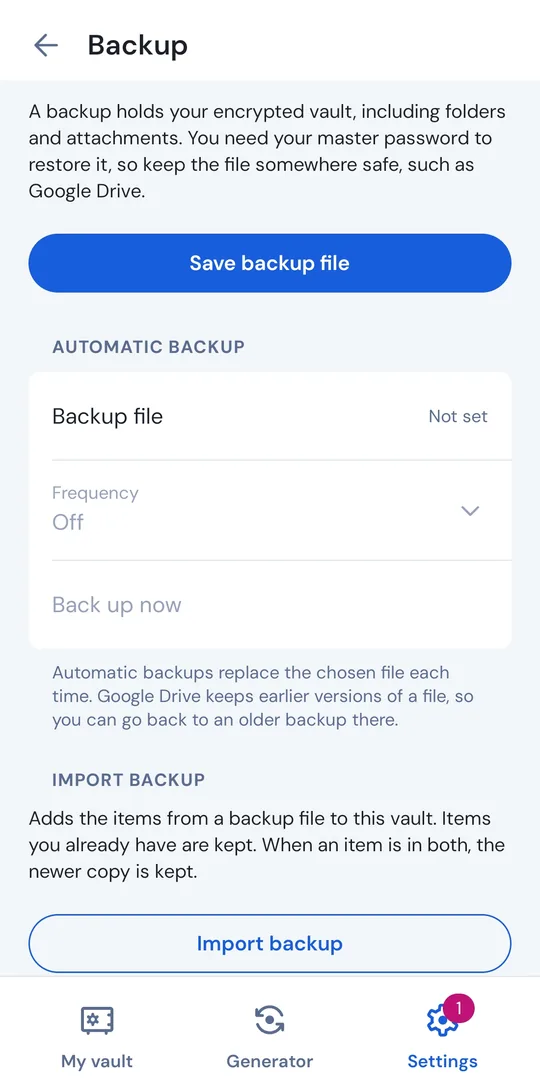
Save an encrypted backup file anywhere, or schedule daily or weekly backups to a file or cloud folder you choose, such as Google Drive.
More than passwords
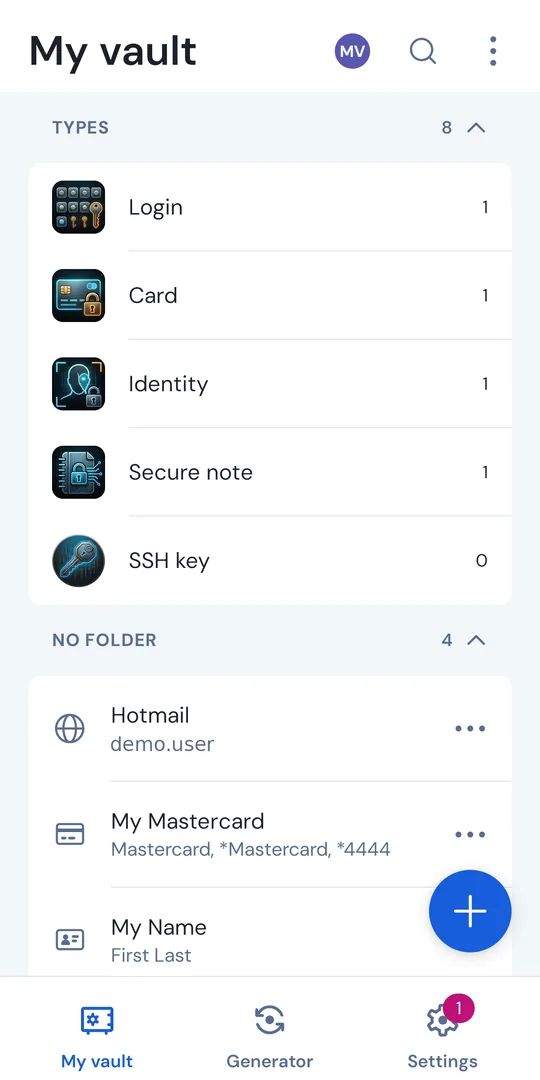
Logins, cards, identities, secure notes, SSH keys, bank accounts, driver’s licenses, passports and passkeys, with built-in authenticator codes.
Autofill
Fill logins in apps and browsers, unlocking with your fingerprint or face.
Free and open source
Every feature is free. The code is public under the GNU GPL v3, so anyone can check what the app does.
A look inside
What leaves your phone?
Almost nothing. SecretDoor has no analytics and no crash reporting, and it never downloads website icons, because that would tell a server which sites you use. The only optional network use is a breach check for a new master password, which is off by default and sends just the first five characters of a hash, never the password.
One thing to know
Because there is no server, nobody can recover your vault or reset your master password, not even us. Make a backup and keep it somewhere other than your phone.
Get SecretDoor
Android: coming soon to Google Play.
iPhone: may follow.
SecretDoor is open source, so you can also read the source code and build the app yourself.